Ut tellus dolor, dapibus eget, elementum ifend cursus eleifend,
elit. Aenea ifen dn tor wisi Aliquam er at volutpat. Dui ac tui
end cursus eleifendrpis.
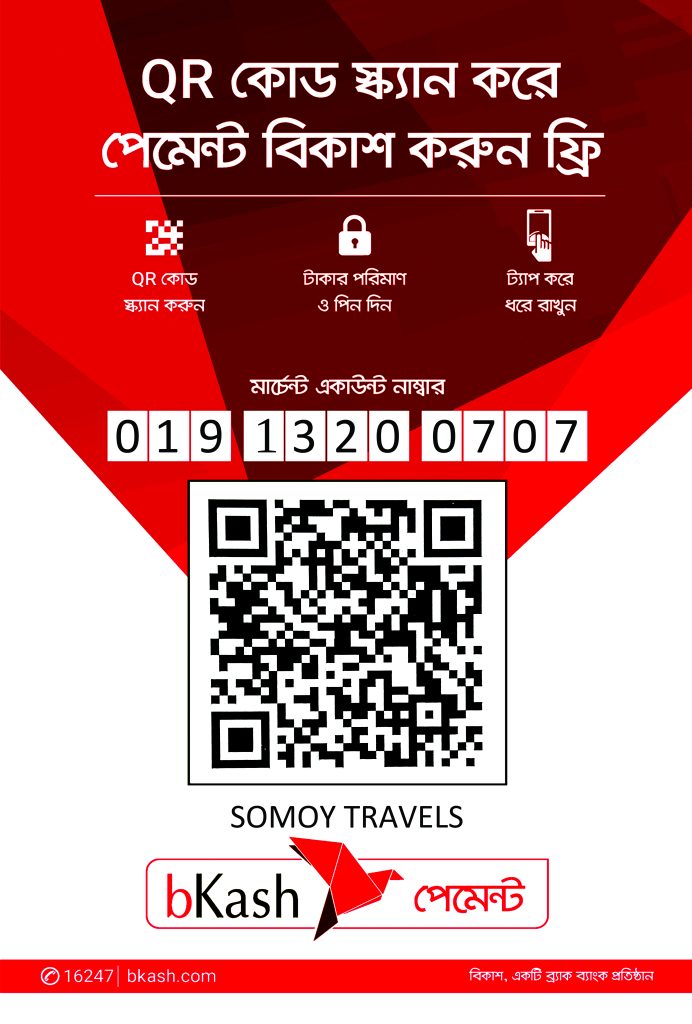
Enter our Merchant bKash Account Number 01913200707
Enter the monthly bill total amount in BDT
Enter a reference ( Client Name or Payment invoice No.) as the reference. example: Rashed or VisaProcessing.
Counter No. 1
Now enter your bKash Mobile Menu PIN to confirm
Then send it.
Done! If successful, You will receive a confirmation message from bKash.
bKash Apps payment process:
Login to your bKash apps
Choose “Make Payment”
Enter our bKash Merchant Account Number 01913200707
Enter the monthly bill total amount in BDT
Enter a reference ( Client Name or Payment invoice No.) as the reference. example: Rashed or VisaProcessing.
Enter your bKash PIN
Then send it.
If successful, You will receive a confirmation message from bKash.
General Payment Guidelines:
Payment Deadline: Please ensure your payment reaches us by the due date specified in your booking confirmation to avoid cancellation of your travel arrangements.
Booking Confirmation: Your booking will be confirmed only after we have successfully received and verified your full payment.
Receipt: An official receipt will be issued for all payments received.
Questions? If you have any questions or require assistance with your payment, please do not hesitate to contact our customer care team 24/7 via WhatsApp: